
Google Business Profile tips for tradespeople
A complete, in-order checklist for your free Google listing: claim it, pick the right categories, set your service areas, add real photos and collect reviews. Written by a team that runs its own service business and does all of this on its own profile.
Free 20-minute call. No contracts pushed. Takes 30 seconds.
The free listing most trades half-finish
Google Business Profile is the free listing that shows your name, phone number, reviews and photos when someone searches for a local tradesperson. If you search "electrician near me" on your phone, the three businesses shown on the map are the prize. They get most of the calls.
Most trades set theirs up years ago, added a phone number and never touched it again. That is a shame, because it costs nothing and it works while you are on the tools. If you have heard it called Google My Business, that is the old name. Everything written about Google My Business for tradesmen still applies, and the checklist below brings it up to date.
We run an exterior cleaning firm ourselves, so we use the same checklist on our own profile before we set it up for clients. This guide takes you through it in order. Work down the list and you will have a stronger profile by the end.
- Claim and verify the profile
- Choose the right categories
- Set service areas to the towns you want
- List your services properly
- Add real job and van photos
- Post weekly and answer questions
- Ask for a review after every job
- Keep hours and details accurate
If you would rather hand it over, our Google Business Profile optimisation does all of this for you. Otherwise, read on.
Claim and verify it properly
First, search for your business name on Google. If a listing already exists, claim it rather than making a duplicate. Duplicates split your reviews and confuse customers. If nothing exists, create one at business.google.com using the Google account you plan to keep for the long term.
Use an account you control
Do not use a personal email that only your old employee or web designer can access. Use an account you own, with a recovery phone number. Losing access to a profile with 50 reviews is painful.
Pick the right business type
If customers do not visit you, choose the service-area option and hide your address. If you have a shop or unit where people do walk in, show it. Getting this wrong is a common reason profiles get suspended.
Verify it
Google will ask you to prove the business is real. These days that is usually a short video showing your van, your tools and your signage, though some businesses are offered a phone call, text or email instead. Follow the steps exactly and keep your business name consistent with your van, your website and your invoices.
Make sure your website address, phone number and opening hours are filled in. A clean, consistent listing is also the foundation of local SEO for service businesses.
Categories that match the jobs you want
Your primary category is the single most important choice on the profile. It tells Google what you are. Pick the one that matches the job you most want more of, not the one that sounds grandest.
For example, an electrician should usually choose "Electrician" as the primary category. A dog groomer should choose "Dog groomer". If you are an exterior cleaning firm that mostly does roofs, your main category should reflect that, with secondary categories for gutters, driveways and windows if you really do them.
Secondary categories
Add secondary categories for services you genuinely offer. Think of them as extra doors in. Someone searching for "EV charger installer" can only find you through that door if you have added it.
- Choose categories from Google's list. You cannot make your own.
- Only add what you really do and want to be booked for.
- Check what the top-ranked local rivals use. Their categories are visible with free tools and extensions.
- Review the list every few months, because Google adds and renames categories.
Trades differ, so take a look at how profiles work in practice for electricians, and notice how different the service mix looks for a business like a dog groomer. The principle is the same: be specific about what you are.
Service areas: towns, not the whole country
The service area setting tells Google where you will travel for work. Many trades list a huge radius, thinking more is better. It is not. Google is far more likely to show you for searches close to where you are based, and a sprawling list rarely changes that.
Be honest and be local. List the towns and areas you actually want work in, and that you can reach without losing half the day in traffic. Google lets you add up to 20 areas and asks you to keep them within about two hours' drive of your base, so a whole-country setting works against you.
How to choose your areas
- Start with the town you live or are based in.
- Add the neighbouring towns within a sensible drive.
- Keep to the places where jobs are profitable for you.
- Do not list areas you will not actually travel to.
The same goes for your website. A page for each main town you cover helps Google connect the dots. If you want to go deeper, our local SEO service builds those town pages to work with your profile.
Services, descriptions and attributes
Once the categories are right, fill in the rest of the profile. This is where plenty of tradespeople stop too soon.
Add every service you offer
Google lets you list services under each category and add a short description to each. Use plain words that customers actually type. "Boiler service", "fuse board upgrade" and "gutter clearing" beat vague labels like "general work".
Write a useful business description
You get up to 750 characters, and only the first line or two shows before customers tap "more". Say who you are, what you do, where you work and why people should ring you. Mention one or two real facts, such as how long you have been trading, but do not invent anything you cannot back up. Leave out phone numbers, links and special offers, as Google can reject them.
Use attributes and details
- Opening hours, including any bank holiday changes.
- Your phone number, with a number you answer.
- A website link to the most relevant page.
- Attributes that apply to you, such as being women-led or offering online quotes.
Keep your hours accurate
Set the hours you actually answer the phone, then use special hours for bank holidays and your own time off. A customer who rings during your listed hours and gets no answer rings the next firm, and Google notices when people report that a business was closed.
It helps to have a decent website behind the listing. A quick look at websites and landing pages shows what we build to turn those clicks into enquiries.
Photos that win the call
Photos are what make someone pick you over the next firm. People scroll quickly on their phone, and a real image of your van or a finished job builds trust faster than any paragraph.
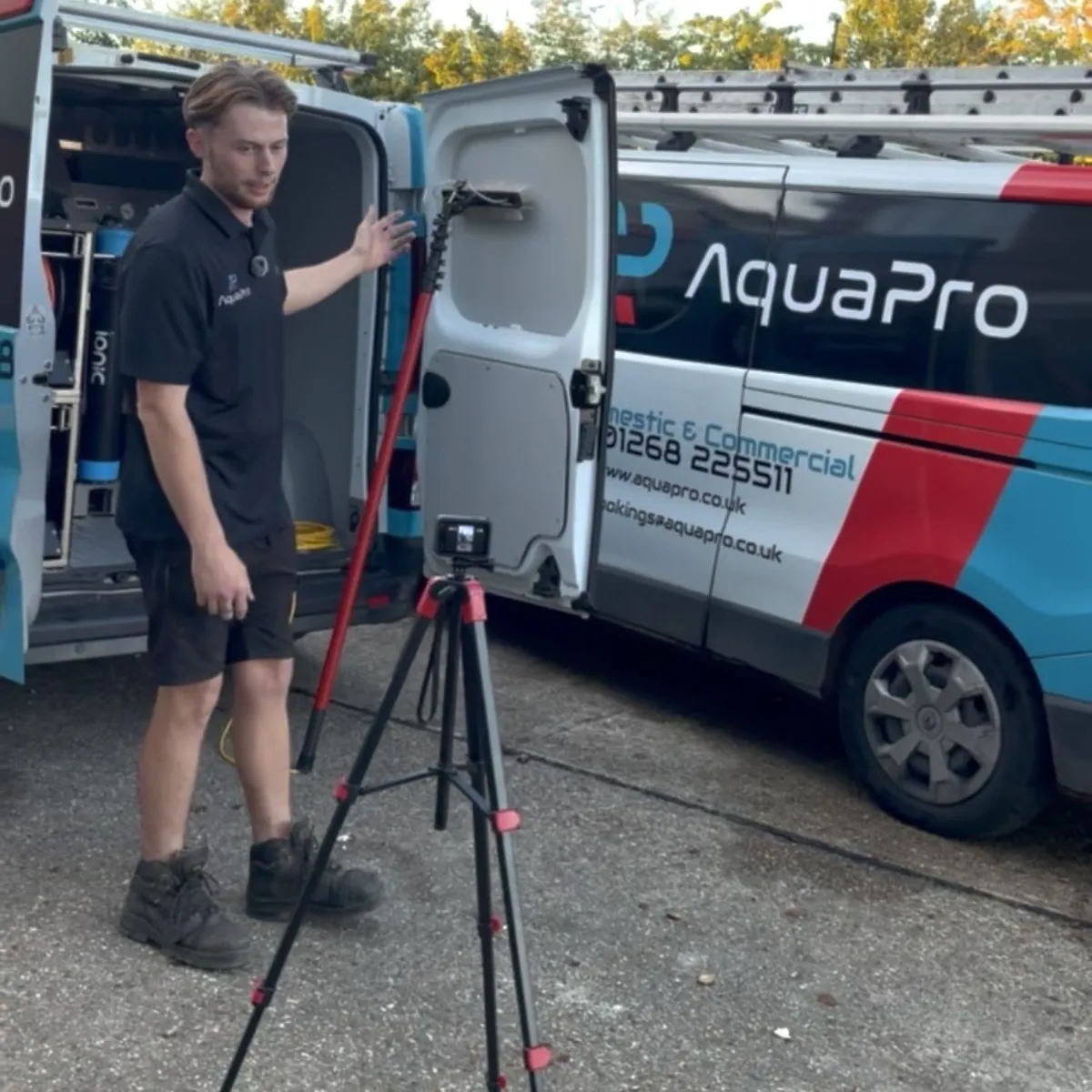
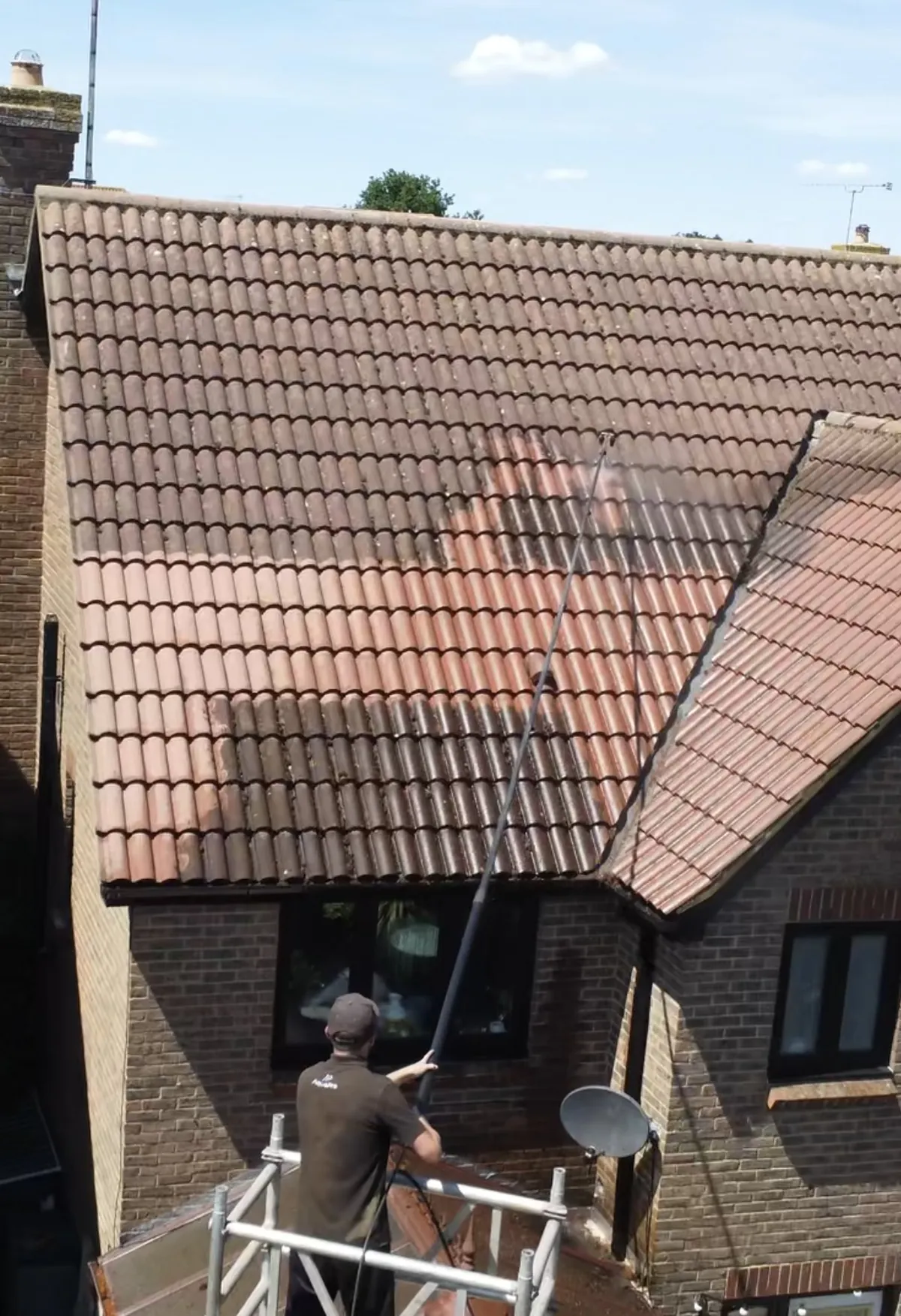
These are the sort of real photos we mean. A van with your name on it. The team on a job. Nothing fancy, just honest.
What to upload
- Your logo and a clear cover photo.
- You and the team, in uniform if you have one.
- Your van or vehicles, so customers know who is turning up.
- Before-and-after shots of real jobs.
- Work in progress, to show you are tidy and careful.
What to avoid
Skip stock photos and pictures lifted from other websites. Google can spot some of them, and customers can tell. Do not upload anything that shows a customer's house number, number plate or face without their say-so.
Add new photos regularly, even one or two a week. Take them on your phone straight after the job, while you are already there. Our Google Business Profile service includes help picking and uploading the best ones.
Posts and Q&A
Posts are short updates that appear on your profile. They show Google and customers that the business is active. Treat them like a quick social post, not an essay.
Ideas for weekly posts
- A finished job with a photo and the town it was in.
- A seasonal reminder, like autumn gutter clearing.
- A new service you now offer.
- A gap in the diary, with a button to get in touch.
Keep each one to a couple of sentences, add a clear photo and a button such as "Call now". It takes five minutes once you have a routine.
Questions and answers
Google is changing how questions work on profiles, so yours may or may not show a Q&A area. If it does, anyone can ask a question and anyone can answer, including strangers. Check it often. Better still, add your own common questions and answer them yourself, for example "Do you cover Maldon?" or "Are you insured?". Only state facts that are true.
Reviews: ask after every job
Reviews are the biggest single reason a customer picks you. They also play a part in how Google ranks local businesses. A steady flow of fresh, genuine reviews beats a burst of old ones.
The secret is simple. Ask every customer, every time, while the job is fresh. Most happy customers are glad to help, but they will not do it unless asked. Ask them all, not just the ones you expect to be happy. Picking and choosing who gets the link is against Google's rules too.
Hi Priya, thanks for having us today. If you are happy with the job, a quick Google review would really help us.
How did we do?
Leave a reviewHow to ask
Finish the job well
Tidy up and check the customer is happy before you leave.
Send the link the same day
A short text with your direct Google review link, while the job is fresh.
Nudge once
If there is no review after a few days, send one polite reminder.
Reply to every review
Thank people by name and mention the job. Stay calm and professional if one is negative.
Never offer money or gifts in exchange for a review, and never write fake ones. It breaks Google's rules and can get your reviews removed. If you want this to run on autopilot, our review generation service sends the request after each job for you.
Mistakes we see every week
These are the problems we spot when we look at trades' profiles. Most take minutes to fix. Check your own against the list.
| Complete profile | Half-finished | |
|---|---|---|
| Primary category | Matches the main job | Vague or wrong |
| Service areas | The towns you want | Whole country or none |
| Photos | Real jobs, regularly added | Old or stock |
| Reviews | Asked for after every job | A few, years old |
| Weekly posts | Yes | No |
| Opening hours kept current | Yes | No |
The usual suspects
- Keyword-stuffed business names that risk suspension.
- Opening hours that are wrong, especially at bank holidays.
- A phone number that goes to a dead line or a sales call.
- Never replying to reviews, good or bad.
- Duplicate listings left over from an old address or an old owner.
- Ignoring the profile for years.
The worst one costs real money. A customer finds you on the map, taps Call while you are up a ladder, and rings the next firm when nobody answers. A missed-call text-back replies to them in seconds, and an AI phone receptionist answers the call and sends the job details to your WhatsApp.
None of this is hard. It just needs a routine. A quick monthly check on hours, photos and reviews is enough for most small firms. For the next step after the map pack, browse our marketing guides for trades.
Want us to build and run it?
You now have the full checklist. Doing it yourself works if you have the time. Many owners find the routine slips when the diary fills up, which is exactly when the leads matter.
We set up and run profiles for service businesses as part of our wider marketing, and we test everything on our own exterior cleaning firm first. We handle the categories, areas, photos, posts and review requests so you can stay on the tools.
Big thanks to the Grafter Media team 🙌 I've raised my prices and I'm still booked out. The biggest mistake I made was not running ads sooner.
 JordanHewitt's Exterior Cleaning, Essex
Not sure how your profile compares? Ask for a free marketing review and we will tell you what we would fix first.
Questions about Google Business Profile
Is Google Business Profile free for tradespeople?
Yes. Creating and running a profile costs nothing. You pay only if you choose to run ads on top of it. Be wary of anyone who offers to "sell" you a listing, because you can claim and manage your own for free.
Can I have a profile if I work from home and customers never visit?
Yes. Google treats you as a service-area business. You hide your home address and list the towns you cover instead. Never publish a street address you do not want customers turning up at.
How many categories should I pick?
One primary category that matches your main money-making job, and a handful of secondary ones for genuine extra services. Adding categories you do not really offer tends to dilute the profile and can cause trouble later.
How often should I post on my profile?
Little and often beats big and rare. A short post with a real job photo once a week is plenty. If you cannot manage that, once a fortnight is far better than nothing.
Can I remove a bad review?
Only if it breaks Google's policies, for example fake reviews, spam or abuse. You can flag it for review. A fair but unhappy review stays, so reply calmly and professionally. Future customers read your replies.
How long until my profile helps me get calls?
It varies by trade, town and how many rivals you have. Fixing the basics can show a difference within weeks, but there are no guarantees. Reviews, photos and a steady routine build over months. Our local SEO work covers the wider picture.